Manage: Domain: Verify Domain
The 'Manage >> yourdomain.com >> Verify Domain' section is used to verify your ownership of the domain name.
We verify domain ownership by asking you to upload a file to your website, if you upload the ads.txt file generated by the ads.txt Guru system then we will automatically verify your domain.
Domain verification is used to reassure collaborators that you are the genuine owner of the domain name.
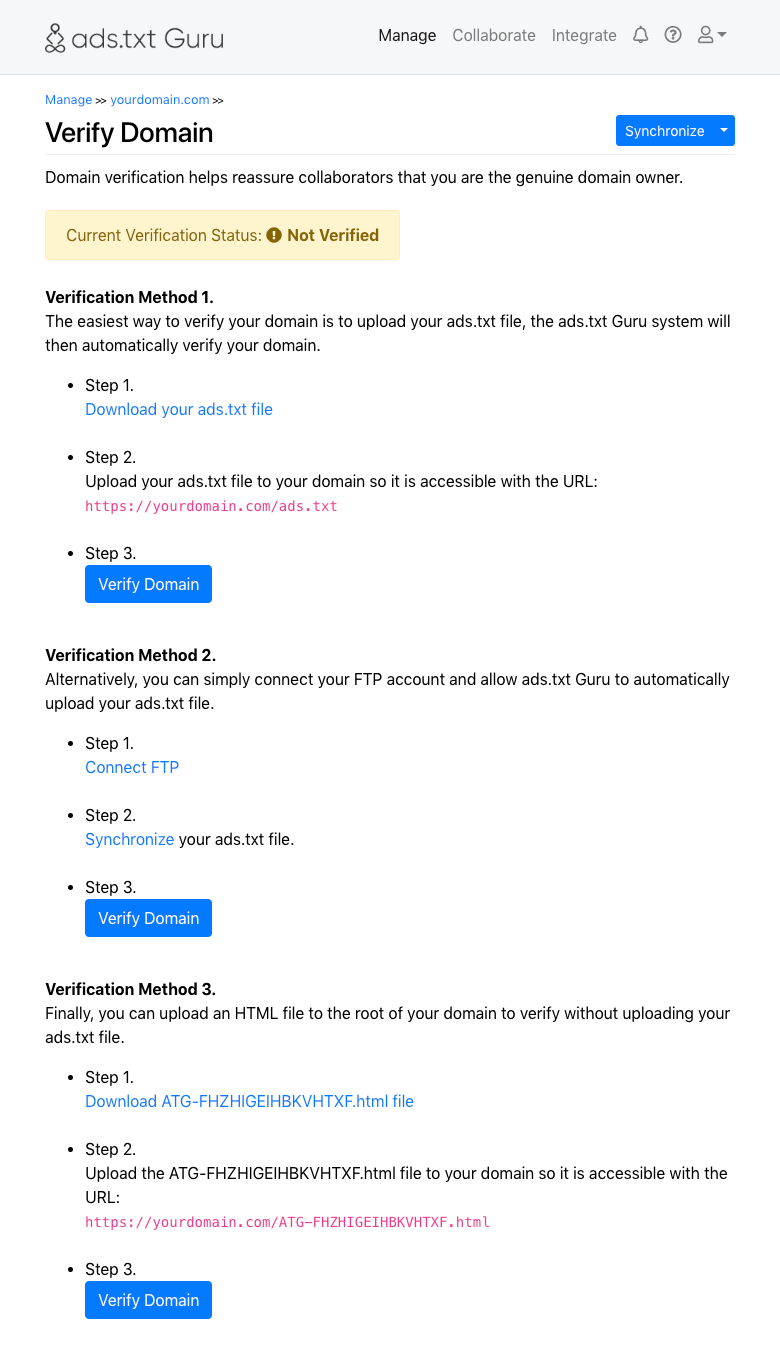
There are three methods of domain verification:
-
Verification Method 1
The first verification method simply requires you upload your ads.txt file to your website. Please download your ads.txt file and upload it to the root of your website ensuring the file is named 'ads.txt', then select 'Verify Domain'.
-
Verification Method 2
The second verification method is the same as the first, except this method uses the 'Connect FTP' and 'Synchronize' processes to automate your ads.txt file upload.
-
Verification Method 3
The third verification method avoids the need to upload your ads.txt file, this is useful if you are still preparing your ads.txt file via ads.txt Guru and aren't ready to upload it yet.
To complete the third verification method simply download the provided HTML file and upload it to the root of your website ensuring the filename is unchanged, then select 'Verify Domain'.
The domain verification process is repeated automatically once per week, therefore it is important you either leave the ads.txt file generated by ads.txt Guru, or the HTML file, in place to allow for future verification attempts.
Domain verification should be completed individually for every domain you add.
Usage Documentation
- Collaborate
- Collaborate: Collaborator Certification
- Collaborate: Group
- Collaborate: Group: Settings
- Getting Started Guide for Ad Networks
- Getting Started Guide for Publishers
- Manage
- Manage: Domain
- Manage: Domain: Settings
- Manage: Domain: Settings: Connect FTP
- Manage: Domain: Settings: Connect Hosting
- Manage: Domain: Settings: Connect WordPress
- Manage: Domain: Verify Domain